

Contains affiliate links. WCAG wording from W3C Understanding Conformance; tiers from the AppSumo listing, 20 October 2026.
WordPress accessibility plugins split into two kinds of feature, and only one kind moves you toward WCAG conformance. A visitor-facing toolbar does not, because WCAG is assessed on the page as delivered with that content switched on or off. A checker that finds missing alt text and poor contrast does, because it points at the source.
That distinction decides whether a $49 plugin is useful or a false sense of safety.
The short version
- Conformance applies to whole pages. W3C’s wording: it “cannot be achieved if part of a web page is excluded”, and “statements about ‘part of a page conforming’ cannot be made”.
- Requirement 5 says the page must conform with extra content turned on, turned off, or unsupported. A toolbar the visitor has to switch on cannot carry the claim.
- WCAG judges results rather than methods, so a plugin that edits the source genuinely counts. One that layers controls over the page does not.
- One Accessibility claims no conformance itself. Its listing says “WCAG-oriented presets” and “ADA & EAA positioning support”, which is careful wording worth reading closely.
What WCAG actually requires
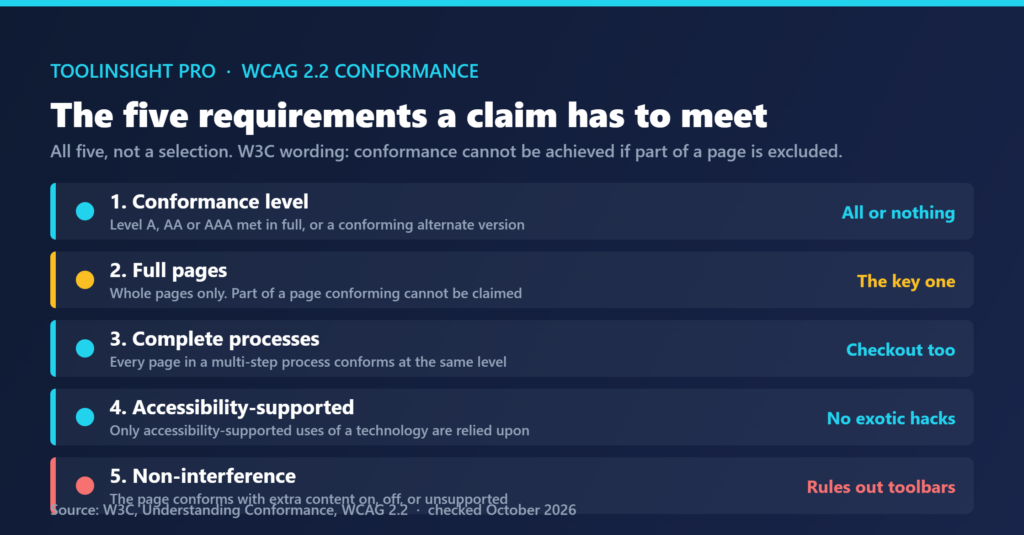
Five requirements have to be met together for a conformance claim, and two of them do most of the work in this argument.
| Requirement | What it says | Why it matters here |
|---|---|---|
| 1. Conformance level | Level A, AA or AAA met in full, or a conforming alternate version is provided | There is no partial credit |
| 2. Full pages | Whole pages only. Conformance “cannot be achieved if part of a web page is excluded” | You cannot claim the toolbar-assisted version of a page |
| 3. Complete processes | Every page in a multi-step process conforms at the claimed level | A checkout flow counts as one unit |
| 4. Accessibility-supported use | Only accessibility-supported uses of a technology are relied upon | A feature that needs an unusual setup is not a fix |
| 5. Non-interference | The page conforms with extra content on, off, or unsupported | This is the one that rules out visitor toolbars |
Requirement 5 is worth reading twice. The page has to satisfy the criteria whether the added content is active or not, which means the version a visitor sees before touching anything is the version being judged. A contrast control that a visitor can find and enable does not change that baseline.
Requirement 1 offers one genuine exception: a conforming alternate version. It has to carry the same information and functionality in the same language and stay as current as the main page, so it is a parallel site rather than a widget.
Which plugin features count, and which do not
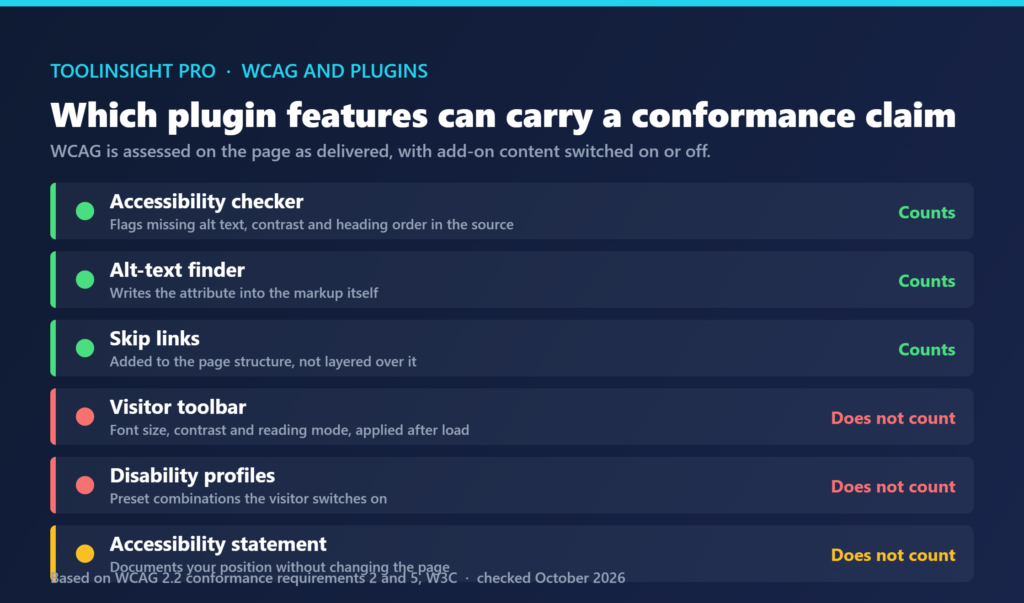
Sorting the usual feature list against those requirements produces a clean split. The useful test is whether a feature changes what the server sends or only what happens after the page loads.
| Feature | Acts on | Can carry a conformance claim |
|---|---|---|
| Accessibility checker | The source markup | Yes, once you fix what it reports |
| Alt-text finder | The alt attribute itself | Yes |
| Skip links | Page structure | Yes, relevant to 2.4.1 |
| Visitor toolbar for font size and contrast | A layer applied after load | No, requirement 5 |
| Disability profiles | Preset layers the visitor enables | No |
| Text to speech | A layer applied after load | No |
| Accessibility statement generator | A disclosure page | No, it documents rather than fixes |
The right-hand column is about conformance claims and nothing else. A toolbar that helps a visitor read your site more comfortably has real value for that person. What it cannot do is let you tell a client, or a court, that the site conforms.
Does WCAG forbid overlays outright? No. One auditor on the W3C Web Accessibility Initiative interest group list put it plainly in April 2025: “WCAG already accommodates overlays”, since only the success criteria matter. His objection was practical, that on sites his firm had tested, overlays had “never been able to address any of the WCAG non-conformances we have reported”. Those are individual views on a public list rather than an official W3C position.
Where One Accessibility sits
The AppSumo listing is priced by sites rather than traffic, which suits anyone maintaining client installs.
| Tier | Price | Websites | Note |
|---|---|---|---|
| Personal | $49 | 1 | Original price listed as $139 |
| Business | $129 | 5 | |
| Business | $279 | 50 | The listing labels two different tiers “Business” |
| Agency | $399 | 1,000 | White-label removal is available at this tier |
Websites are the only limit stated. No page-view or user caps appear, and the listing’s feature matrix does not render its checkmarks, so which tier includes which tool is a question for the vendor inside the refund window.
The product includes both halves of the split above. Its checker and alt-text finder act on the source, the part that can move a conformance position. Its toolbar and seven disability profiles act after load, the part that cannot. Its listing reflects this with hedged language rather than a conformance claim, naming “WCAG 2.x oriented patterns” and “ADA- and WCAG-aligned documentation”. Careful vendor wording is a good sign.
It carries no reviews yet, so there is no user evidence either way. The deal is refundable up to 60 days, and the licence must be activated within 60 days.
What to check before buying
Three questions settle whether a plugin earns its price.
Does the checker export a list you can work from? A scan that only shows a score in the dashboard is harder to act on than one naming the page, element and criterion.
Does the alt-text finder write to the media library? Generated text that lives only in the plugin disappears when the plugin does.
What happens to your site if you deactivate it? Anything the plugin injected at runtime goes away. Anything it wrote into posts, attachments or the theme stays. The second category is what you are actually buying.
Frequently asked questions
Can a WordPress accessibility plugin make my site WCAG compliant?
Partly. A plugin that finds missing alt text, poor contrast and broken heading order moves you toward conformance once you fix what it reports. A visitor-facing toolbar does not, because WCAG requires the page to conform with such content switched off.
Does WCAG ban accessibility overlays?
No. WCAG assesses the delivered result against its success criteria and does not prescribe how a page is built. The practical objection, raised by auditors on the W3C interest group list, is that overlays rarely fix the non-conformances an audit reports.
How many websites does the $49 One Accessibility tier cover?
One website. The $129 tier covers 5 sites, the $279 tier covers 50, and the $399 Agency tier covers 1,000. Websites are the only limit the listing states, and white-label removal is available at Tier 4 only.
Does an accessibility plugin reduce legal risk?
Not on its own. A conformance claim requires a full-page audit against the success criteria, which no plugin performs for you. Documentation such as a generated accessibility statement records your position without changing what the page delivers.
What should I fix first on a WordPress site?
Missing alt text, colour contrast, heading order and keyboard focus. Those four live in the source, where a fix holds for every visitor rather than only for someone who finds a toolbar. They need no plugin beyond something that lists them.
Bottom line
Buy an accessibility plugin for its checker and alt-text tooling, which act where conformance is decided. Treat the toolbar as a courtesy to visitors, never as evidence the site conforms.
Related reading
- What AppSumo Listings Leave Out: nine documented limits found in vendor docs rather than on deal pages.
- Subscription vs One-Time License: how to work out whether a one-time price beats the alternative.
- Best AppSumo AI Tools Worth Buying: the wider shortlist.