
Contains affiliate links. If you buy through them we may earn a commission at no extra cost to you. Prices below were checked on 27 November 2026 unless another date is given, and they can change.
Quick answer: The best Canva alternatives in 2026 are VistaCreate for a cheap Canva-style editor (including a lifetime deal), Adobe Express for Adobe fonts and Firefly AI, Visme for presentations and infographics, Microsoft Designer for free AI images, Affinity for free professional design software, and Kittl for typography and print-on-demand designs. Pick based on what you make most, not on template counts.
Canva is still the default for quick social posts, but its price has moved around and many people want either a cheaper editor, a tool that is stronger in one area, or a one-time payment. Below we compare the most practical Canva alternatives by what they are best at, what they cost and where they fall short.
Why people look for Canva alternatives
Most people who search for a Canva alternative fall into one of four groups, and the right tool depends on which one you are in:
- Price: Canva Pro is a recurring cost, and team plans add up quickly. A cheaper subscription or a one-time deal can save money over a few years.
- Specialist needs: Canva is a generalist. Presentation-heavy teams, print designers and merch sellers often find a focused tool works better.
- Brand consistency: Agencies and companies already paying for Adobe often prefer to keep fonts and assets in one ecosystem.
- Ownership: Some designers want desktop software and files they control, rather than a browser editor.
What you give up when you leave Canva
Be honest about the trade-offs before you switch. Canva’s main strengths are a very large template library, a gentle learning curve, real-time team collaboration and tools like Magic Resize that turn one design into many sizes. Most alternatives match one or two of these well but not all of them. If you depend on collaboration with clients who already use Canva, keeping a free Canva account alongside a cheaper tool is often the most practical setup.
Strengths and weaknesses at a glance
| Tool | Strengths | Weaknesses |
|---|---|---|
| VistaCreate | Canva-like editor, animations, one-time deal | RTL text support reported missing by a buyer; smaller ecosystem |
| Adobe Express | Adobe Fonts, Firefly AI, Adobe ecosystem | Fewer niche template styles |
| Visme | Charts, infographics, interactive content | Less suited to quick social posts |
| Microsoft Designer | Free AI images, easy start | Limited templates and editing controls |
| Affinity | Pro-level photo, vector and layout tools, free | Desktop learning curve, no template marketplace feel |
| Kittl | Typography and merch styles | Narrower focus than Canva |
Canva alternatives compared
| Tool | Best for | Free plan | Paid price (checked) |
|---|---|---|---|
| VistaCreate | Canva-style social graphics, cheap | Yes | Lifetime deal $98.10 on AppSumo until 1 Dec 2026 |
| Adobe Express | Adobe fonts, Firefly AI, brand work | Yes | Premium $9.99 a month (US) |
| Visme | Presentations, infographics, reports | Yes (Basic) | Starter $147 a year |
| Microsoft Designer | Free AI images and quick graphics | Yes | Free with a Microsoft account |
| Affinity | Professional layout, photo and vector work | Free | Free to download |
| Kittl | Typography, logos, merch designs | Yes | See Kittl pricing page |
1. VistaCreate: the closest Canva-style editor
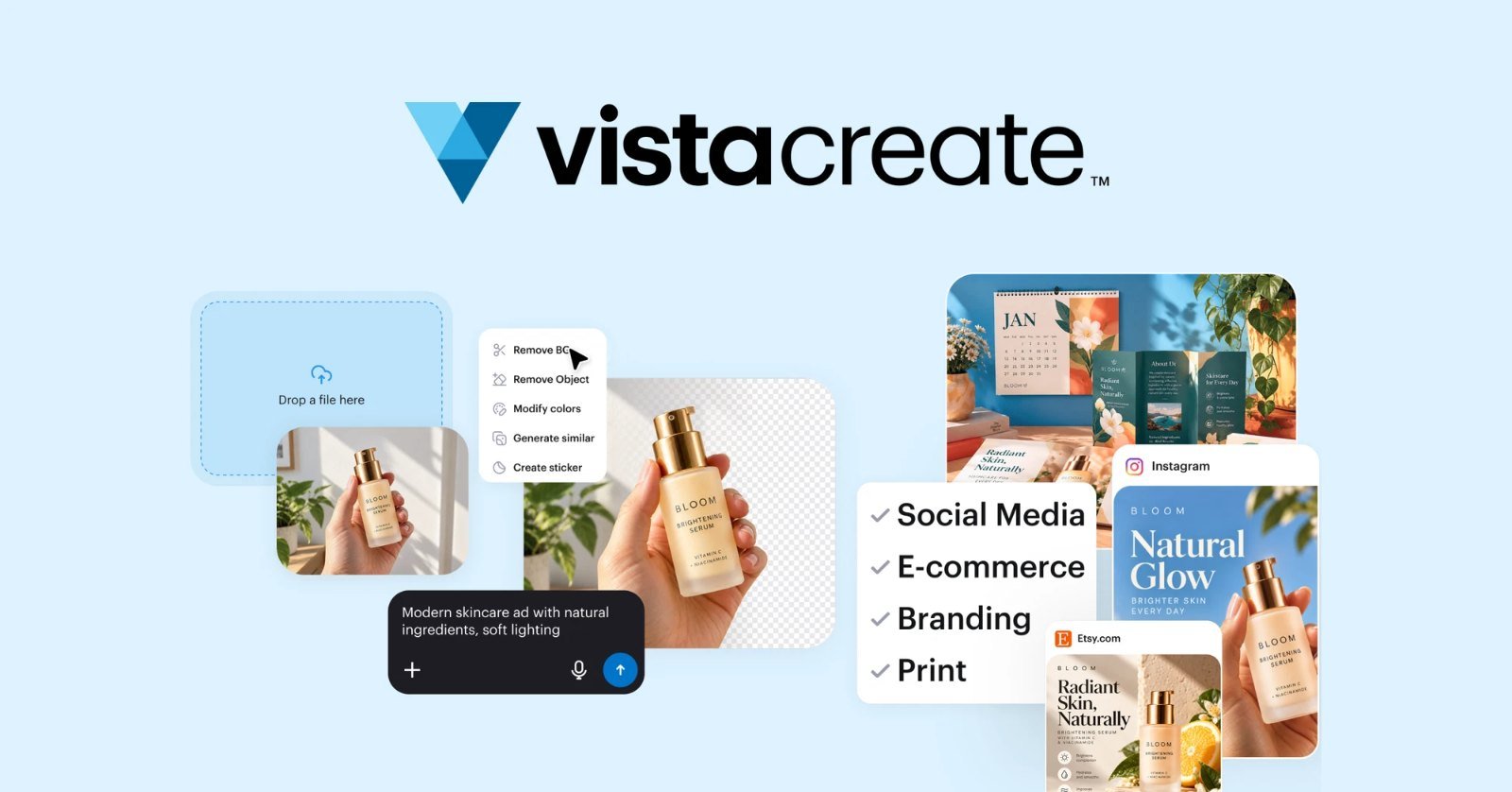
VistaCreate (formerly Crello) feels the most like Canva: drag-and-drop templates, a large stock library, animated designs, background remover and brand kits. The reason it stands out right now is price. On AppSumo it sells as a one-time lifetime deal for the Pro plan, $98.10 during the Black Friday sale, which ends on 1 December 2026.
- Good for: social media graphics, simple ads, animated posts
- Watch out for: one buyer review on AppSumo noted no right-to-left (Arabic) text support, so test it if you design in RTL languages
- Full breakdown: our VistaCreate lifetime deal review
2. Adobe Express: best if you want Adobe fonts and Firefly
Adobe Express is Adobe’s answer to Canva. You get templates, quick actions like background removal, Adobe Fonts and Firefly generative AI. Adobe lists Premium at US$9.99 a month for individuals, and Teams at US$4.99 a month per license in the first year (then US$7.99), with a two-seat minimum on an annual plan.
- Good for: brand content, people already using Photoshop or Illustrator
- Watch out for: fewer template styles for some niches than Canva
- Pricing: Adobe Express pricing
3. Visme: best for presentations and infographics
Visme focuses on visual content that explains things: presentations, infographics, charts, reports and interactive documents. It is stronger than Canva for data visualization. Visme lists a free Basic plan, Starter at $147 a year and Business at $297 a year.
- Good for: marketers, trainers and teams that present data
- Watch out for: it is less focused on quick social posts
- Pricing: Visme pricing
4. Microsoft Designer: best free AI option
Microsoft Designer turns a text prompt into images and simple designs, and it works with a free Microsoft account. It is a good choice if you mostly need AI-generated visuals for posts and do not want another subscription.
- Good for: quick AI images, invitations, simple social posts
- Watch out for: far fewer templates and editing controls than Canva
5. Affinity: best free professional design software
Affinity is desktop software for serious photo editing, vector illustration and page layout. Canva now owns Affinity, and Canva’s own pricing page listed Affinity access on its free plan when we checked on 27 November 2026. It suits designers who outgrow template editors.
- Good for: print layouts, logos, detailed photo work
- Watch out for: a steeper learning curve than any template tool
6. Kittl: best for typography and merch designs
Kittl is built for logos, t-shirt designs, posters and text effects, with many vintage and retro styles. Print-on-demand sellers often prefer it to Canva for text-heavy designs. It offers a free plan; check the Kittl pricing page for current paid tiers and export limits.
Do not forget stock photos
Part of what you pay for with Canva Pro is the stock library. If you switch, you may need a separate source of photos. DepositPhotos sells a lifetime credit pack on AppSumo, from $53.10 per code during Black Friday, which gives 100 multi-content credits that never expire. See our DepositPhotos lifetime deal review.
How to choose a Canva alternative
- Mostly social posts? VistaCreate or Adobe Express
- Presentations and data? Visme
- No budget at all? Microsoft Designer, Affinity or the free tiers above
- Print, logos and merch? Kittl or Affinity
- Hate subscriptions? The VistaCreate lifetime deal is the only one-time option here
Before you cancel Canva, export your brand kit colors and fonts, and download any designs you still need, because editable files do not move between tools.
Bottom line
There is no single best Canva alternative. For most small businesses that just want Canva-style social graphics for less, VistaCreate on AppSumo is the cheapest long-term option while the lifetime deal lasts. Adobe Express is the safest mainstream pick, Visme wins for presentations, and Affinity and Microsoft Designer are hard to beat for free.
Related reading
Frequently asked questions
What is the best free alternative to Canva?
For free use, Microsoft Designer is the easiest option for AI images and quick graphics, and Affinity is the strongest free option for professional design work. Adobe Express and Visme also have free plans with limited templates and features compared with their paid tiers.
Is there a cheaper alternative to Canva Pro?
Yes. Adobe Express Premium is listed at US$9.99 a month, and the VistaCreate Pro plan is available as a one-time $98.10 lifetime deal on AppSumo until 1 December 2026. Visme Starter costs $147 a year. Canva Pro was US$144 a year after its September 2026 price cut.
Which Canva alternative is best for presentations?
Visme is the strongest choice for presentations, infographics and data-heavy reports because it was built around charts and visual explanation. Adobe Express and Canva both make simple slides, but Visme offers more control over data visualization and interactive content.
Is Adobe Express better than Canva?
Adobe Express is better if you rely on Adobe Fonts, Firefly AI or other Adobe apps. Canva usually has a wider range of templates for social media and small business use. Many designers keep one free plan of the other for occasional tasks.
Can I move my Canva designs to another tool?
Not as editable files. Most tools cannot open Canva designs directly. Before switching, download finished designs as PNG, PDF or SVG, and note your brand colors and fonts so you can rebuild your brand kit in the new tool.