
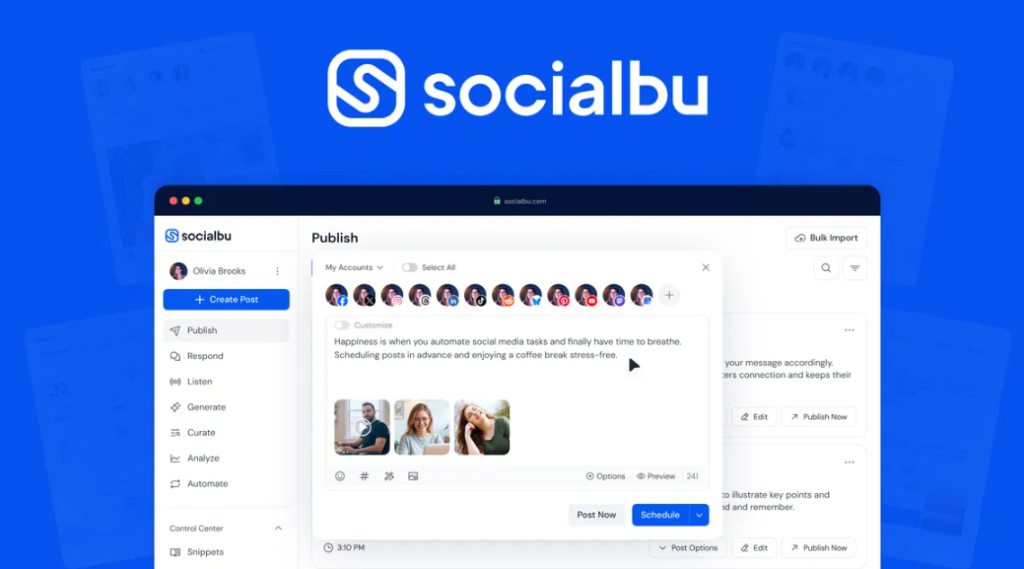
SocialBu is a social media management tool that handles scheduling, publishing, and analytics across 12+ platforms from one dashboard. Here’s how the core features work, from connecting your accounts to setting up RSS automation and reading your analytics.
>
Step 1: Connect Your Social Accounts
After signing in, you connect your social media accounts. SocialBu supports Instagram, Facebook Pages and Groups, X (Twitter), LinkedIn (profiles and company pages), TikTok, Pinterest, YouTube, Google Business Profile, Telegram, and others. The connection process uses OAuth, you authorize SocialBu to post on your behalf without sharing your password.
Step 2: Create and Schedule Posts
The main composer lets you write a post, add images or video, and select which accounts to publish to. You can post immediately or schedule for a specific date and time. The content calendar gives you a visual overview of what’s scheduled across all connected accounts.
SocialBu’s AI caption generator can suggest captions if you’re starting from a topic or image rather than writing from scratch, useful for maintaining a consistent posting schedule when ideas run dry.
Step 3: Use Bulk Scheduling for High-Volume Publishing
If you have a large content library or want to schedule weeks of posts at once, SocialBu’s bulk scheduling lets you upload a CSV file with post content, media, scheduling times, and target accounts. One upload creates dozens of scheduled posts without individual manual entry.
Step 4: Set Up RSS Automation
This is one of SocialBu’s most useful features for content-heavy accounts. You connect an RSS feed, from your own blog, a news source, or any regularly updated content source, and SocialBu automatically publishes new items to your connected social accounts. You set the posting frequency, format, and which accounts to target.
For bloggers and affiliate publishers, this means every new article automatically gets shared to social media without manual effort.
Step 5: Track Performance with Analytics
SocialBu’s analytics dashboard shows engagement metrics, likes, comments, shares, reach, across your connected accounts. You can see which posts performed best and when your audience is most active, which informs your scheduling strategy.
Step 6: Collaborate with Team Members
SocialBu includes team features where you can add team members with different roles, creator, approver, manager. Creators draft posts, approvers review before publishing, and managers have full access. This workflow is useful for agencies or businesses where social content needs sign-off before going live.
Getting Started with SocialBu
SocialBu is available on AppSumo as a $49 lifetime deal, one payment, no monthly subscription. AppSumo includes a 60-day money-back guarantee, so you can test the full scheduling and RSS automation workflow before committing.
See the full SocialBu review, or check the SocialBu FAQ for quick answers.