

Quick answer: zcal is a booking-page tool with a generous free plan. Its AppSumo lifetime deal sells the Pro plan in three tiers: $59 for 3 users, $139 for 10 and $219 for 50. Custom domains and custom sender email need a separate Business add-on at $99. Check what the free plan already gives you before paying.
zcal builds scheduling pages with custom fonts, colours, layouts, cover photos and welcome videos. The AppSumo listing shows 73 reviews at 4.3 and 1,788 buyers. We have not used zcal ourselves. The facts below come from the AppSumo listing and zcal’s own pricing page, both read on 6 November 2026, when the listing showed about five days left.
Disclosure: this page contains affiliate links to AppSumo, and we may earn a commission if you buy through them.
What each zcal tier includes
| Tier | Price | Users | Price per user (our arithmetic) | Business add-on |
|---|---|---|---|---|
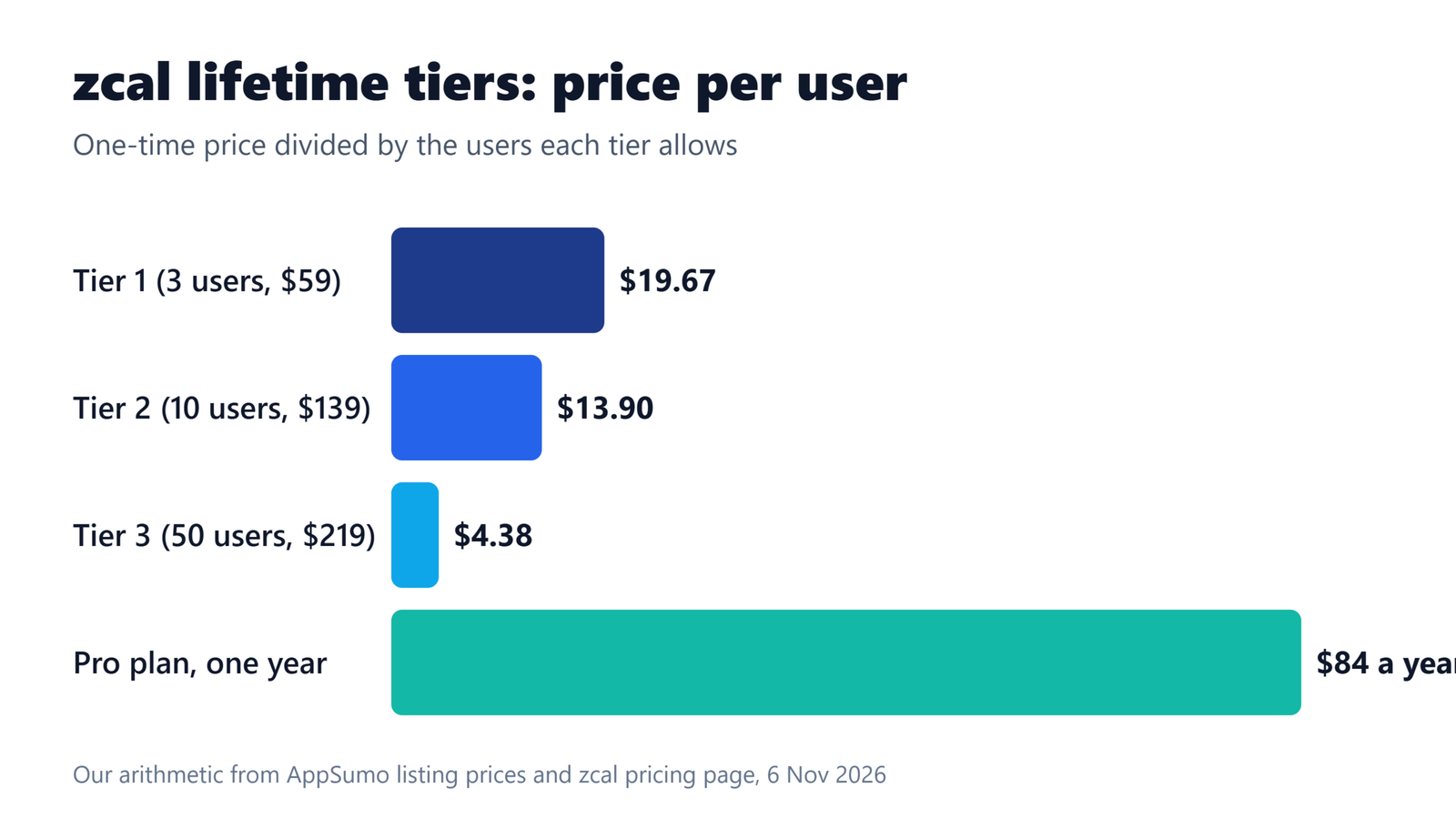
| Tier 1 | $59 | 3 | $19.67 | +$99 |
| Tier 2 | $139 | 10 | $13.90 | +$99 |
| Tier 3 | $219 | 50 | $4.38 | +$99 |
Every tier lists the same Pro plan features: no zcal branding, teams, unlimited links, unlimited connected calendars, calendar and other integrations, automated email reminders, redirect after booking, custom questions, cover photos and Stripe payments. Only the user count changes. The Tier 1 list price on AppSumo is $252, which equals three users at zcal’s Pro price of $84 a year each.
What the free plan already covers
zcal’s free plan is the real competition for this deal. It lists unlimited links, unlimited calendar accounts, meeting polls, group events with up to 5 invitees per slot, custom questions, cover photos, one welcome video, embeds, and Google, Outlook, Apple, Zoom, Meet, Teams and Zapier integrations. A solo user who only needs a clean booking page may never need to pay.
| Feature | Free | Pro | Business |
|---|---|---|---|
| Price on zcal’s pricing page | $0 | $7 per user a month | $12 per user a month |
| Teams | Not included | 1 team | Unlimited |
| Round robin and collective events | Not included | Included | Included |
| Remove zcal branding | Not included | Included | Included |
| Fee on Stripe payments | 3% | None | None |
| SMS credits | Not included | 750 a month | 1,500 a month |
| Custom domain and sender email | Not included | Not included | Included |
The lifetime tiers map to the Pro column. The AppSumo listing does not state the SMS allowance for the lifetime tiers, so confirm it before buying if text reminders matter to you.
When the deal pays back
These are worked examples built on zcal’s listed prices, not guarantees. Three Pro users cost $21 a month, or $252 a year, so Tier 1 at $59 pays back in about 2.8 months. A solo user paying $7 a month would need about 8.4 months to cover $59, and would still be paying for two seats they may not use.
The payment fee gives a second test. The free plan takes 3% on Stripe payments and Pro takes none. At 3%, $84 a year of Pro equals the fee on about $2,800 of bookings. If you collect less than that and need nothing else from Pro, the free plan costs you less.
zcal against TidyCal
We checked TidyCal’s pricing page on 5 November 2026. Its Individual lifetime plan costs $29 and keeps a small TidyCal logo on booking pages, with 10 calendar connections. Its Agency lifetime plan costs $79 and adds round robin and collective meetings. In our TidyCal review we found a 1% fee on paid bookings that neither lifetime tier removes.
zcal’s Pro tiers remove branding and list no commission on payments, at a higher entry price of $59. TidyCal is cheaper if you want a single-user booking page. zcal is the better fit if page design and team scheduling matter. Our TidyCal vs Calendly comparison covers the Calendly side.
Deal terms and what to check
The terms list lifetime access, all future Pro plan updates and a 60-day activation window. You can upgrade between the three tiers while the deal is live and downgrade within 60 days of purchase. Codes do not stack. Earlier AppSumo buyers can upgrade and keep any new features and limits they were promised. The founder says this is a return to AppSumo after a first run.
Two gaps remain. The updates are tied to the Pro plan, so features zcal puts only in Business will cost extra. And the Business add-on at $99 is a separate purchase on every tier, which makes Tier 1 plus Business $158 in total (our arithmetic). Our guide to listing limits that are not on the deal page explains why we flag gaps like these.
What reviewers say
The rating is 4.3 from 73 reviews: 53 five-star, 7 four-star, 5 three-star, 3 two-star and 5 one-star. Reviewers praise the simple setup, the design options and calendar syncing. One agency buyer says group scheduling removed a lot of back and forth. Five one-star ratings is a small but real group, and the page does not summarise their reasons, so read those reviews before you buy.
zcal lifetime deal questions
How much is the zcal lifetime deal?
AppSumo lists three tiers: $59 for 3 users, $139 for 10 users and $219 for 50 users. Each is a one-time payment for the Pro plan, with a refund window of up to 60 days. Custom domain and custom sender email need the Business add-on, listed at $99 more.
Does the zcal lifetime deal include custom domains?
Not in the base tiers. The listing says custom domain CNAME and custom sender email come with the Business plan add-on, priced at $99 on every tier. The base tiers cover Pro features such as no zcal branding, teams, unlimited links and unlimited connected calendars.
Is zcal free without the lifetime deal?
Yes. zcal’s pricing page lists a free plan with unlimited links, unlimited calendar accounts, meeting polls, group events and Stripe payments with a 3% fee. Pro adds teams, round robin, branding removal and SMS reminders from $7 per user per month.
Can I get a refund on the zcal deal?
AppSumo lists a refund window of up to 60 days for zcal, and you must activate your license within 60 days of purchase. You can downgrade tiers within 60 days and upgrade while the deal is live. Read AppSumo’s refund terms before buying.
Bottom line
Buy zcal if you run a small team that wants branded booking pages, round robin scheduling and no zcal logo, because Tier 1 pays back in under three months against Pro pricing. Skip it if you are a solo user, since the free plan covers links, calendars and group events. Compare it with TidyCal first if you only need a basic page. See the current zcal tiers on AppSumo.