
Quick answer: Quick answer: LinkedIn outreach automation uses software to send connection requests, messages and follow-ups on a schedule. It saves time, but LinkedIn’s User Agreement does not permit third-party software that automates activity on the site, so accounts can be restricted. The safer approach is to automate research, email and reminders, keep LinkedIn actions low and personal, and combine both in a multichannel sequence with tools such as lemlist or WarmySender.
LinkedIn is where many B2B buyers are reachable, which makes it tempting to automate. Before you pick a tool, it helps to understand what automation does, what LinkedIn allows, and how to get results without putting your profile at risk.
What LinkedIn outreach automation does
- Visits profiles and sends connection requests from a list.
- Sends a first message and timed follow-ups after someone accepts.
- Pulls leads from searches into a CRM or sequence.
- Combines LinkedIn steps with email, calls or SMS in one sequence.
- Tracks replies and stops the sequence when a prospect answers.
The risk: what LinkedIn says
LinkedIn’s User Agreement prohibits using bots or other automated methods, and third-party software such as browser extensions, to automate activity on the platform. LinkedIn can restrict accounts that show automated behaviour, such as large bursts of invitations. That is why many teams now keep LinkedIn manual or semi-manual and automate everything around it. Always read the current User Agreement and decide your own risk level.
Tools that combine LinkedIn and email
| Tool | What it offers | Price (checked) |
|---|---|---|
| lemlist | Sequences with email, LinkedIn, calls, WhatsApp and SMS steps; 650M+ lead database | Multichannel 109 euros/user/month (87 yearly), 15 Nov 2026 |
| WarmySender | Cold email, warmup and verification; its homepage describes LinkedIn outreach with AI agents | AppSumo Tier 1 $59 one-time, 27 Nov 2026 |
| DM Champ | Chat and DM automation; Tier 7 includes SDR Pilot to book LinkedIn calls | AppSumo Tier 1 $69 one-time ($62.10 in the Black Friday 2026 sale) |
lemlist: the best-known multichannel option
lemlist lets you build one sequence that mixes email with LinkedIn visits, invitations and messages, plus calls and WhatsApp. On 15 November 2026 its Multichannel plan cost 109 euros a month per user (87 euros yearly), with a 14-day free trial. Compare it in our lemlist alternatives guide.
WarmySender: email-first with LinkedIn outreach
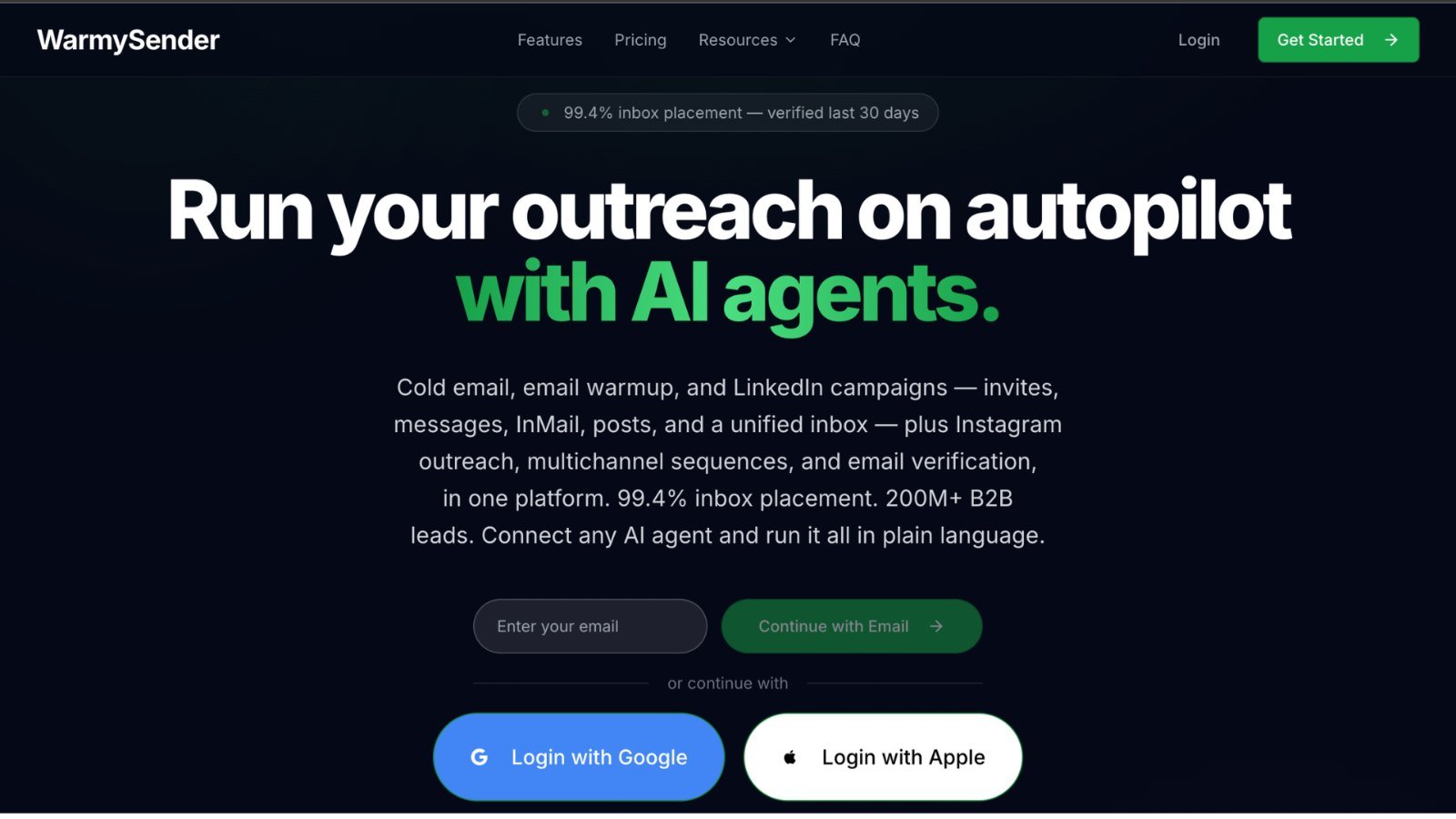
WarmySender is built around cold email: a B2B lead database, warmup, Bounce Shield verification, A-Z subject line testing and a pre-send spam score checker, according to its AppSumo page on 27 November 2026. Its homepage headline also mentions LinkedIn outreach with AI agents. Tier 1 cost $59 once. Check which LinkedIn features your tier includes before buying, then open the WarmySender deal.
DM Champ: booking calls from conversations
DM Champ automates replies and follow-ups in chat channels. Its AppSumo page on 27 November 2026 listed SDR Pilot for booking LinkedIn calls with prospects, available in Tier 7, and LeadFindr for finding businesses to pitch. Tier 1 was $69 one-time on the deal, or $62.10 during the Black Friday 2026 sale. Read our DM Champ review.
A safe LinkedIn outreach workflow
- 1. Build a tight list. Use filters for role, company size and industry. Quality beats volume.
- 2. Warm up the profile. Complete your profile, post useful content and engage before reaching out.
- 3. Send fewer, personal invites. Reference something specific, such as a post or shared interest.
- 4. Move to email. After a connection or no reply, continue with a verified email sequence.
- 5. Follow up across channels. One LinkedIn message, then email, then a final LinkedIn nudge.
- 6. Track replies. Stop all steps the moment someone answers.
Email is the safest channel to automate
Email automation is accepted practice when you follow sender rules, so many teams automate email heavily and keep LinkedIn light. Set up SPF, DKIM and DMARC, warm up mailboxes, and verify your list. Our guides to the best cold email software and the email deliverability test cover each step.
Message templates that feel human
| Step | Example |
|---|---|
| Connection note | Hi {first name}, liked your post on {topic}. I work with {role}s on {problem}. Happy to connect. |
| First message | Thanks for connecting. Quick question: how are you handling {problem} today? |
| Email follow-up | Subject: {topic} idea for {company}. Two lines on a specific idea plus one clear ask. |
Final thoughts
LinkedIn outreach automation can save hours, but full automation on LinkedIn itself carries account risk. A multichannel approach, with light personal LinkedIn activity and automated email, usually gives better replies with less risk. lemlist suits teams that want everything in one sequence, while WarmySender is a low-cost, email-first option.
Sources we checked: lemlist pricing, WarmySender on AppSumo, DM Champ on AppSumo, LinkedIn User Agreement. Prices and plans change, so confirm on the official page before you buy.
Frequently asked questions
Is LinkedIn outreach automation allowed?
LinkedIn’s User Agreement prohibits bots and third-party software that automate activity on the platform, and accounts that show automated behaviour can be restricted. Many teams therefore keep LinkedIn actions manual and automate email and reminders around them. Read the current terms and decide your own risk.
What is the best LinkedIn outreach automation tool?
For multichannel sequences, lemlist is the best-known option, with a Multichannel plan at 109 euros per user a month as of 15 November 2026. For a lower one-time cost focused on email, WarmySender on AppSumo started at $59 when checked on 27 November 2026.
How many LinkedIn connection requests can I send?
LinkedIn sets weekly invitation limits that it does not always publish and may change. Sending large bursts can trigger restrictions. Focus on fewer, personalised requests to well-targeted prospects, and remove old pending invitations that were never accepted to keep your account in good standing.
Should I use LinkedIn or email for cold outreach?
Use both. LinkedIn builds familiarity and works well for a first personal touch, while email scales more safely with automation. A sequence that mixes one or two LinkedIn steps with several verified emails usually reaches more prospects than either channel alone.
How do I avoid getting my LinkedIn account restricted?
Keep activity human: personalise invitations, avoid sudden spikes, do not use tools that click on your behalf at high volume, and accept that some steps should stay manual. Complete your profile, engage with content, and move most follow-ups to email.