
A DKIM selector is a short label that tells a receiving server which public key to use when it checks a message’s DKIM signature. It appears as the s= tag in the message header and as the first part of a DNS name, selector._domainkey.yourdomain. To find yours, the fastest route is the header of a message you sent to yourself.
The short version
The selector is the s= value inside the DKIM-Signature header. Combined with the d= domain, it forms the DNS name where the public key lives. A domain can publish many selectors, one for each sending service or each key in rotation, so your domain probably has more than one.
How a selector works
The sending server signs each message with a private key and adds a DKIM-Signature header. That header names the signing domain in d= and the selector in s=. The receiver joins them into a DNS name, fetches the TXT record at that name, reads the public key and verifies the signature. The MXToolbox knowledge base gives the example of selector mail1 on example.com, which becomes mail1._domainkey.example.com.
| Part | Where it appears | Example |
|---|---|---|
| s= tag | DKIM-Signature header | s=selector1 |
| d= tag | DKIM-Signature header | d=example.com |
| DNS name | A TXT record, or a CNAME some providers use | selector1._domainkey.example.com |
| Record content | The TXT value at that name | v=DKIM1; k=rsa; p=(the public key) |
Because several keys can sit under different selectors, you can rotate keys or run several senders without breaking delivery. The wider setup, including SPF and DMARC, is covered in our explainer on SPF, DKIM and DMARC.
Find the selector in a message header
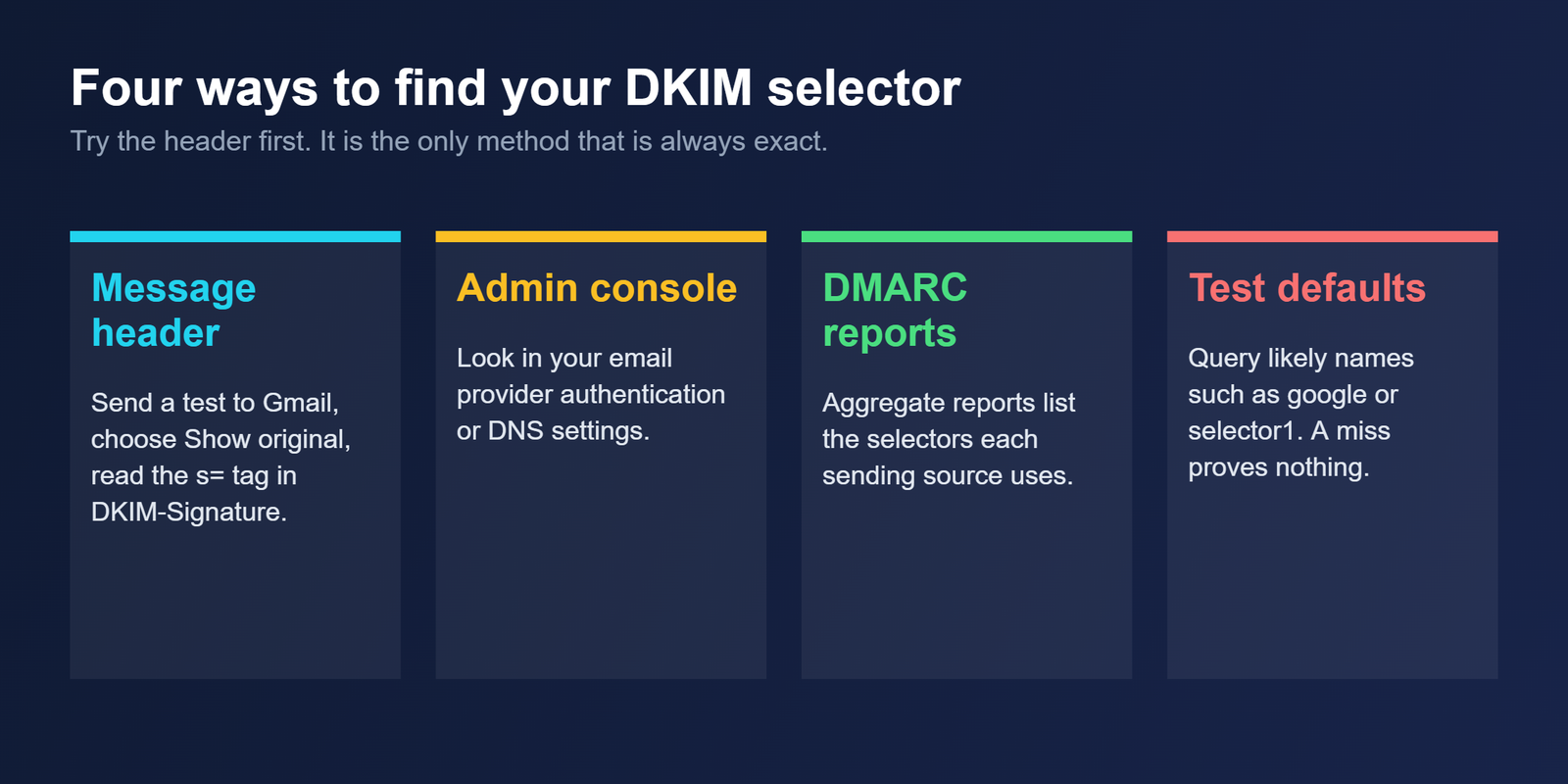
Send a test message to a Gmail account you control. Open the message, choose Show original from the menu, and find the DKIM-Signature block. The value of the s= tag is the selector. If the message carries two signatures, you will see two blocks, and the one whose d= matches your From domain is the one that matters for DMARC alignment.
Find it when you have no message to read
Your email provider’s admin console usually shows the DKIM record and its selector in the authentication or DNS settings. DMARC aggregate reports also list the selectors each sending source uses. A DNS query with dig or nslookup works only if you already know the name, so you can test likely defaults, but a miss does not prove the selector is absent.
| Provider | Common default selector |
|---|---|
| Google Workspace | |
| Microsoft 365 | selector1 and selector2 |
| Yahoo | s1024 |
| SendGrid | s1 and s2 |
| Mailchimp | k1 |
Why one domain can have several selectors
Every service that signs for your domain, such as a newsletter tool, a CRM and a cold email platform, can use its own selector and its own record. Rotation is the second reason. PowerDMARC suggests rotating every three to six months and immediately after an incident. There is no universal rule, so treat that as one vendor’s practice rather than a standard.
The method is the same wherever you rotate. Publish the new selector beside the old one, switch the sending service to it, and remove the old record only once nothing signs with it. Suped’s guide adds that old public keys should stay until messages signed with them have cleared queues.
Mistakes that make a selector look broken
A record published without the _domainkey label will never be found, because the receiver builds the name with it. Removing the old selector too early breaks messages still in transit. A selector that exists but signs with a d= domain different from your From address passes DKIM yet fails alignment, and Google’s sender guidelines require the From domain to align with the SPF or DKIM domain.
If a signature looks right but mail still fails DMARC, our guide to the 554 5.7.5 error lists the other record faults to rule out, and the piece on why emails go to spam puts authentication in the context of everything else Gmail checks.
Questions about DKIM selectors
What does the s= tag in a DKIM signature mean?
It names the selector, the label that points to the public key in DNS. The receiving server combines it with the d= domain to build the lookup name selector._domainkey.domain, then fetches the key and checks the signature on the message.
Can I have more than one DKIM selector?
Yes. A domain can publish several keys under different selectors, which lets you run multiple sending services or rotate keys without breaking delivery. Each service signs with its own selector, and each one needs its own record in your DNS.
Can I find my selector without sending an email?
Often. Check the authentication or DNS settings in your email provider’s admin console, or read your DMARC aggregate reports, which show the selectors each source uses. A DNS query only works if you already know the exact name.
What is the default DKIM selector for Google Workspace?
PowerDMARC lists google as the common default for Google Workspace, so the record sits at google._domainkey.yourdomain. Confirm it in the Authenticate email page of the Admin console, because a custom selector may be in use on your domain.
How often should I rotate a DKIM selector?
PowerDMARC suggests every three to six months, and immediately after an incident, though there is no universal rule. Publish the new selector beside the old one, switch the sender, and remove the old record only once nothing signs with it.
Bottom line
The selector is a pointer, nothing more: the s= value that tells a receiver which key to fetch. Read it from a header when you can, expect more than one per domain, and rotate by adding the new record before you remove the old one.
Related reading
- SPF, DKIM and DMARC explained: how the three records fit together
- DMARC policy of reject: what happens when a signature fails under enforcement
- Why do my emails go to spam: the full diagnostic order