Send 5,000 or more messages a day to Gmail addresses and you must authenticate with SPF, DKIM and DMARC, keep spam complaints below 0.3%, and offer one-click unsubscribe. Below that volume the bar is lower, but it is not absent.
Google and Yahoo brought these rules in together in February 2024. They are not best practice suggestions. Mail that fails them gets rejected or filtered, with no appeal.
The short version
- The 5,000-a-day threshold counts Gmail addresses only, and it is measured per sending domain.
- Every sender needs SPF or DKIM, valid reverse DNS and TLS. Bulk senders need both plus DMARC.
- Spam complaints must stay under 0.3%. Google’s own guidance names 0.1% as the level to work at.
- One-click unsubscribe must be in the headers, not only in the footer, and honoured within two days.
What counts as a bulk sender
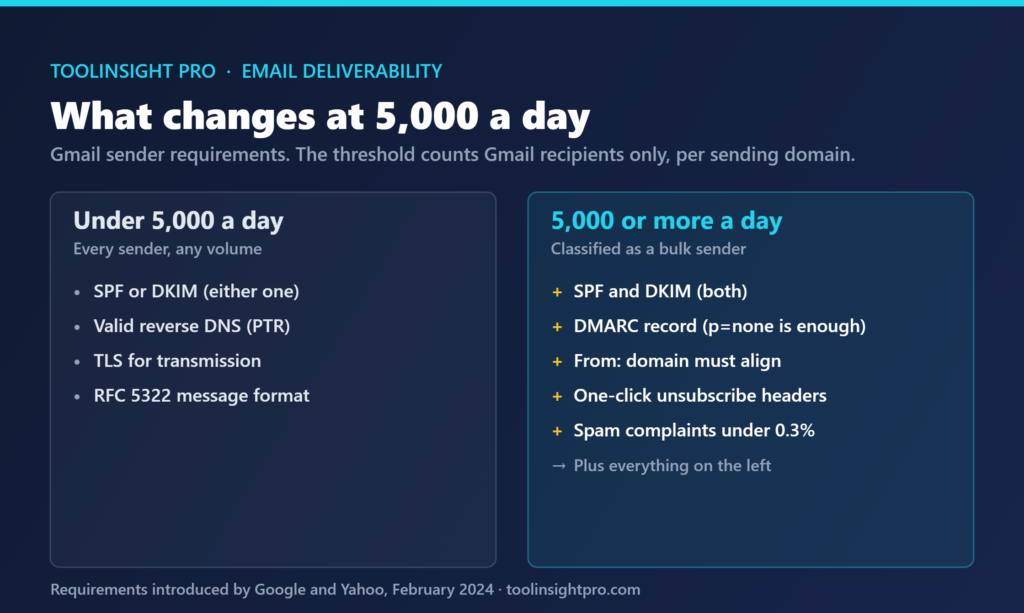
The threshold is 5,000 messages in a single day to Gmail addresses. Three details decide whether it applies to you.
It counts Gmail recipients only. A send of 20,000 where 4,000 land at Gmail does not cross it. It is measured per sending domain, so splitting volume across subdomains changes the count. And once you cross it, Google treats you as a bulk sender permanently — dropping below 5,000 afterwards does not undo the classification.
| Requirement | Under 5,000 a day | 5,000 or more a day |
|---|---|---|
| SPF or DKIM | Required, either one | Required, both |
| DMARC record | Not required | Required, p=none is enough |
| Domain alignment | Not required | From: domain must align with SPF or DKIM |
| One-click unsubscribe | Not required | Required in headers, honoured within 2 days |
| Spam complaint rate | Kept low | Must stay under 0.3% |
| Valid reverse DNS (PTR) | Required | Required |
| TLS for transmission | Required | Required |
| RFC 5322 message format | Required | Required |
The alignment rule is the one that catches people. Having SPF and DKIM both passing is not sufficient on its own — the domain in the visible From: header has to match the domain that SPF or DKIM authenticated. Send from news@yourbrand.com while your platform signs with its own domain and you pass authentication but fail alignment.
What every sender must do, regardless of volume
Four requirements apply at any volume, and they are the ones most often missing on a new domain.
Authentication. SPF or DKIM must be published and passing. A missing SPF record is not neutral; it is a failure.
Reverse DNS. The sending IP needs a valid PTR record that resolves back to the hostname. On shared sending infrastructure this is handled for you. On a self-hosted server it frequently is not.
TLS. Connections must use TLS. Any current mail server does this, but older self-managed setups sometimes do not.
Message format. Messages must be formatted per RFC 5322, and the From: header must not impersonate Gmail. Platforms that once set From: you@gmail.com while sending from their own servers no longer work.
The three requirements that catch people out
Beyond authentication, three rules account for most of the failures we see described.
The first is the one-click unsubscribe header. Putting an unsubscribe link in the footer is not enough. The message needs the List-Unsubscribe and List-Unsubscribe-Post headers defined in RFC 8058, so the mail client can show its own unsubscribe button. Requests must be processed within two days.
The second is DMARC with alignment. A p=none policy satisfies the rule, which surprises people who expect enforcement to be mandatory. What is mandatory is that the record exists and that alignment passes.
The third is complaint rate measured by Google, not by you. Your platform’s unsubscribe figures are not the same number. The rate Google acts on is visible in Postmaster Tools, which is worth connecting before volume grows rather than after a problem appears.
What happens when you cross the complaint threshold
Complaint rate is a proportion, and at small volumes a handful of clicks moves it a long way.
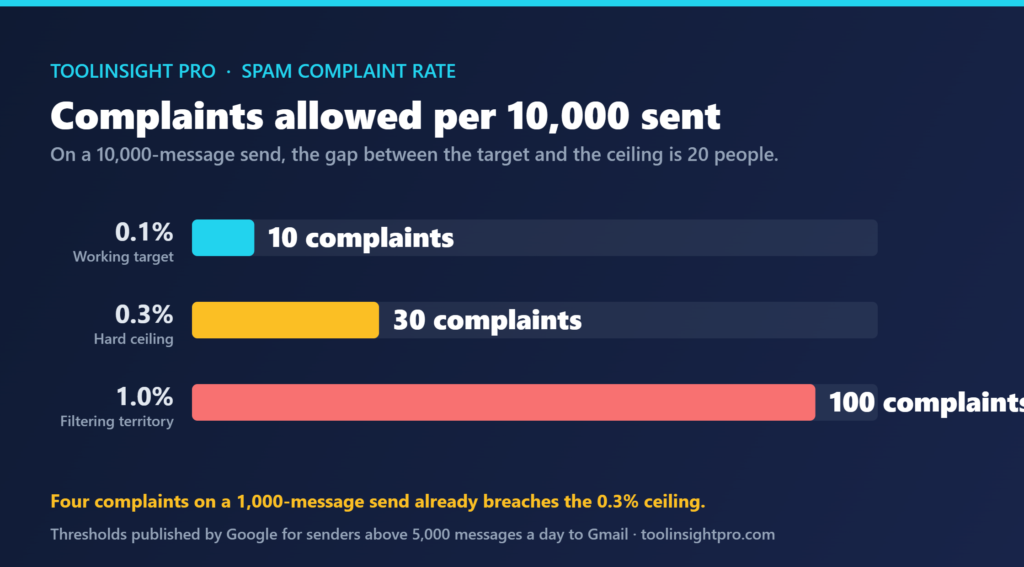
| Messages sent | Complaints at 0.1% target | Complaints at 0.3% ceiling | Complaints at 1% |
|---|---|---|---|
| 1,000 | 1 | 3 | 10 |
| 10,000 | 10 | 30 | 100 |
| 50,000 | 50 | 150 | 500 |
| 100,000 | 100 | 300 | 1,000 |
On a 1,000-message send, four people hitting “report spam” puts you over the ceiling. That is why the 0.1% target matters more than the 0.3% limit: the limit is where filtering begins, and the target is the room you need so that one bad send does not breach it.
The behaviour at the threshold is not a hard switch. Mail starts going to spam folders rather than bouncing, which is harder to notice — the send reports as delivered. Recovery takes consistent clean sends over weeks, not a single fix.
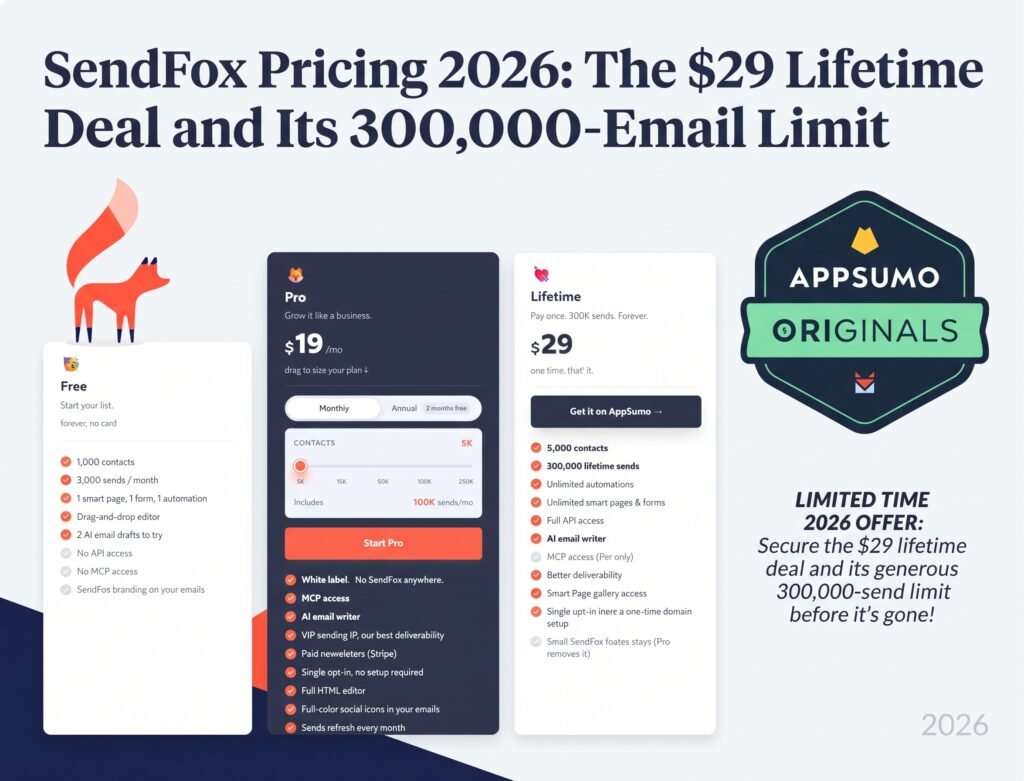
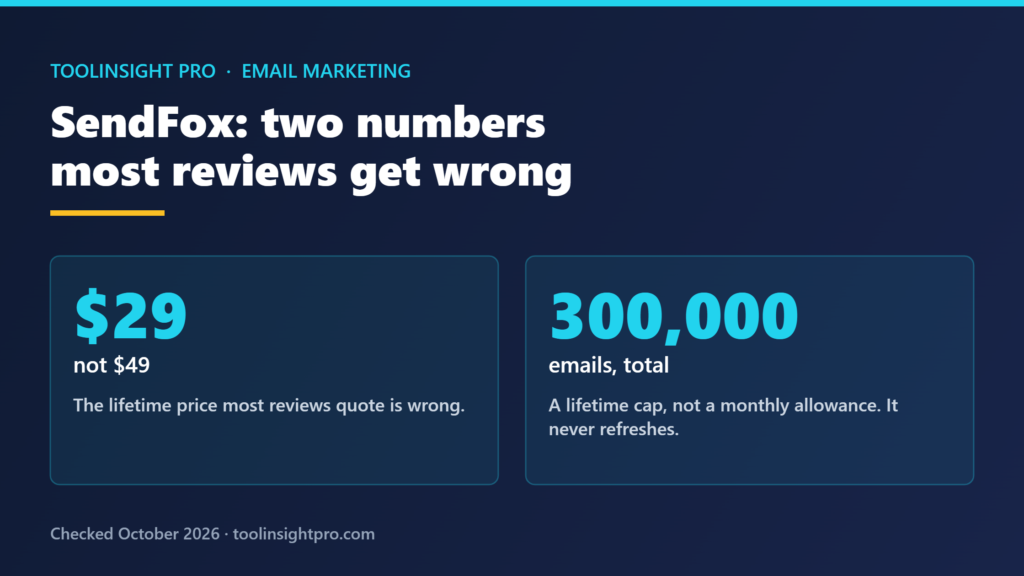
List quality is where most of this is decided before a message is ever sent. Verification is the practical control, and the tier structure in our Reoon Email Verifier review is worth reading with that in mind. On the sending side, the volume limits matter too: our SendFox review covers a lifetime allowance that is a total rather than a monthly refill. For cold outreach specifically, where these rules bite hardest, our SalesBlink review goes through what the entry tier does and does not include.
Frequently asked questions
Do these rules apply if I send fewer than 5,000 emails a day?
Yes, partly. SPF or DKIM, valid reverse DNS, TLS and RFC 5322 formatting apply at any volume. DMARC, domain alignment, one-click unsubscribe headers and the 0.3% complaint ceiling only apply once you cross 5,000 messages a day to Gmail.
Is a DMARC policy of p=none enough?
Yes. Google’s requirement is simply that a DMARC record exists, and p=none satisfies it. Stricter policies such as p=quarantine or p=reject give you real protection against domain spoofing, but they are not required by the bulk sender rules themselves.
What spam complaint rate should I aim for?
Below 0.1%. The hard ceiling is 0.3%, but that is where filtering starts rather than a safe operating level. At 0.1% you have room for one poor send without breaching the limit, which on a 10,000-message list is the difference between 10 complaints and 30.
Does the 5,000 threshold count all my recipients?
No, Gmail addresses only. A send of 20,000 with 4,000 Gmail recipients does not cross it. The count is also per sending domain, so volume split across separate domains is measured separately rather than added together.
Why is my email authenticated but still failing?
Most often because of alignment. SPF and DKIM can both pass while the domain in your visible From: header belongs to someone else, usually your sending platform. Bulk senders must have the From: domain align with the SPF or DKIM domain.
Bottom line
The checklist is short and the thresholds are published, which makes this one of the few parts of deliverability you can simply verify rather than guess at. Connect Postmaster Tools before you need it, because the complaint rate Google acts on is the only one that counts.
Related reading
- Reoon Email Verifier Review 2026 — list verification is what keeps bounces and complaints down before a send goes out.
- SendFox Review 2026 — the sending-volume side, including a lifetime allowance that does not refresh monthly.
- SalesBlink Review 2026 — cold outreach is where these requirements apply most directly.