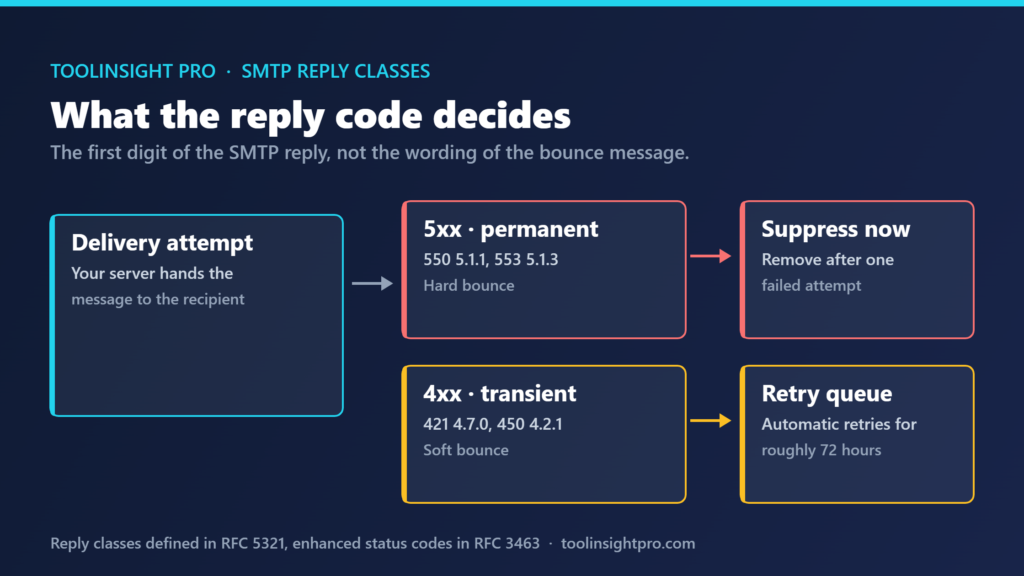
A hard bounce is a permanent delivery failure returned as an SMTP 5xx reply, and the address should be suppressed after a single attempt. A soft bounce is a temporary 4xx failure that sending servers normally retry for up to 72 hours before giving up.
The distinction matters because mailbox providers treat them differently. Repeated hard bounces say you never verified the list. Soft bounces, on their own, usually say very little.
The short version
- The reply class decides everything: 5xx is permanent, 4xx is temporary. The bounce message wording is not the signal.
- Suppress a hard bounce after one failure. No second attempt is worth making.
- Keep total bounces under 2% of a send. Above that, the list is the problem.
- A soft bounce that repeats across the full retry window should be treated as hard.
What the SMTP reply code actually tells you
Every delivery attempt ends with a three-digit reply code defined in RFC 5321, often paired with an enhanced status code from RFC 3463 in the form 5.1.1. The first digit is what matters. A 5 means the server has made a final decision. A 4 means it cannot accept the message now and may accept it later.
Email platforms paraphrase this into plain language, which is where the confusion starts. “Address not found” and “mailbox unavailable” can sit on either side of the line depending on the code behind them. Read the code, not the sentence.
| Characteristic | Hard bounce | Soft bounce |
|---|---|---|
| SMTP reply class | 5xx, permanent failure | 4xx, transient failure |
| Typical codes | 550 5.1.1, 550 5.1.10, 553 5.1.3 | 421 4.7.0, 450 4.2.1, 452 4.2.2 |
| Common cause | Address does not exist, domain has no mail server, recipient blocked you | Mailbox full, server busy or throttling, message too large, greylisting |
| Will a retry help | No | Sometimes, which is why servers retry automatically |
| Correct action | Suppress the address immediately | Let the retry window run, then review |
| Effect on sender reputation | Direct and cumulative | Minor unless it repeats across many recipients |
One case deserves a note. A 5xx can be a block rather than a bad address, because some providers return a permanent failure when they have decided not to accept mail from your domain at all. Scrubbing the address fixes nothing there.
The retry window, and when a soft bounce becomes hard
Sending servers do not give up on a 4xx immediately. They queue the message and retry over roughly 72 hours, with the gaps between attempts widening. A mailbox that was full on Monday morning may accept mail by the evening.
What matters is what you do when the window closes. One soft bounce is fine. An address that soft bounces on every send for three weeks is not temporarily unavailable — it is dead, and mailing it adds failed deliveries for no return.
A workable rule: treat an address as hard after three consecutive soft bounces, or one that persists through the full window. Greylisting is the exception, since it deliberately returns a 4xx on first contact and accepts the retry.
What bounce rates cost in reputation terms
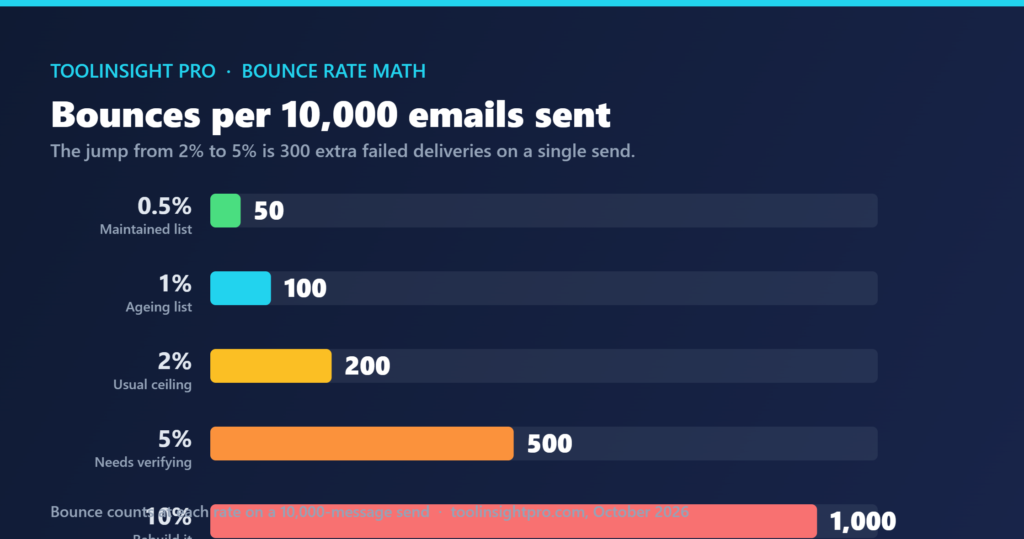
Bounce rate is a proportion, so the same percentage means different things at different list sizes. “2%” sounds harmless until it is counted.
| Bounce rate | Bounces per 10,000 sent | What it usually indicates | Reasonable response |
|---|---|---|---|
| Under 0.5% | Up to 50 | Normal decay on a maintained list | Routine suppression, nothing further |
| 0.5% to 2% | 50 to 200 | Ageing list, some unverified additions | Verify new sign-ups, review the oldest segment |
| 2% to 5% | 200 to 500 | List has not been cleaned in some time | Stop sending to the affected segment and verify it |
| 5% to 10% | 500 to 1,000 | Purchased, scraped or long-dormant data | Do not send again until the list is verified |
| Above 10% | Over 1,000 | The list is not usable as it stands | Rebuild rather than clean |
The 2% figure is industry convention rather than a published rule, and enforcement varies: some platforms state a threshold in their terms, others act on a mix of bounces, complaints and engagement without publishing numbers. What is published is the complaint side. Under the bulk sender requirements Google and Yahoo introduced in 2024, senders above 5,000 messages a day to Gmail addresses are expected to stay below a 0.3% spam complaint rate. Bounces and complaints are measured separately but travel together.
Verification before sending is the only reliable way to hold the number down. Going through the tiers for our Reoon Email Verifier review, the point that stood out was the gap between daily allowances and one-off credit blocks — relevant here because list hygiene is recurring work, not a single clean-up.
The mistakes that create avoidable bounces
Most high bounce rates trace back to three decisions rather than bad luck.
Importing an old list without re-verification is the most common. Corporate addresses decay as people change jobs, and a list untouched for two years can carry double-digit invalid rates before the first send.
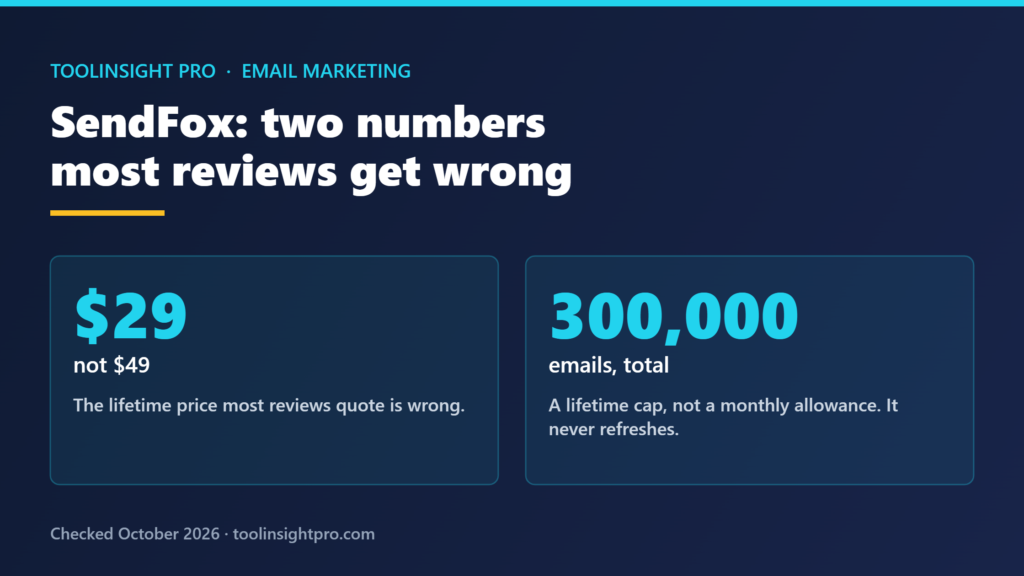
Sending the first campaign to the entire list is the second. A new domain with no sending history, mailing tens of thousands at once, produces the bounces and the reputation damage at the same time. Our SendFox review covers the volume side: a lifetime sending allowance that is a total rather than a monthly refill, which punishes anyone burning sends on addresses that were never going to deliver.
The third is treating every bounce notification alike. Platforms that lump 4xx and 5xx into one “bounced” count encourage suppressing addresses that would have delivered on the retry.
Frequently asked questions
Is a 2% bounce rate bad?
No, 2% is the conventional ceiling rather than a failure point. Under 0.5% is normal for a maintained list. Between 0.5% and 2% suggests ageing data worth reviewing. Above 2%, the list itself needs verification before the next send.
Should I remove soft bounces from my list?
No, not after a single occurrence. A soft bounce is a temporary 4xx failure and the sending server retries automatically for around 72 hours. Remove the address only after it soft bounces on three consecutive sends or persists through the full retry window.
What is the difference between a 550 and a 450 error?
A 550 is a permanent 5xx failure, usually meaning the mailbox does not exist, and the address should be suppressed at once. A 450 is a transient 4xx failure, often a busy or temporarily unavailable mailbox, and the message will be retried automatically.
Do bounces affect my sender reputation permanently?
No, reputation recovers, but hard bounces damage it cumulatively while the pattern continues. Mailbox providers read repeated permanent failures as evidence of an unverified list. Stopping sends to the affected segment and verifying it allows reputation to rebuild over subsequent clean sends.
Can a valid email address still hard bounce?
Yes. A 5xx reply can mean the receiving provider has decided to reject mail from your domain rather than that the address is invalid. If several hard bounces arrive from one provider on addresses you know are real, treat it as a sending reputation problem, not a list problem.
Bottom line
The reply class tells you what to do: suppress on 5xx, wait on 4xx, and convert a persistent 4xx once the retry window closes. Verification before the send is what keeps the number under control, and it costs less than the reputation it protects.
Related reading
- Reoon Email Verifier Review 2026 — how the credit structure works on a verification tool, and why daily allowances and bonus blocks are not the same thing.
- SendFox Review 2026 — the sending-volume side of the same problem, including a lifetime email allowance that does not refresh.
- Google and Yahoo Bulk Email Sender Requirements — the published 0.3% complaint ceiling that sits alongside your bounce rate.